A caption for a photo
Pick out the main subject and one memorable detail. A short, direct sentence often works well for a travel photo, a family album, or a social post.
Not sure how to put a picture into words? Upload it and get a starting point for a caption, a longer description, or a writing exercise. Choose your language and tell the AI what you want to focus on.
Upload a photo or paste a direct image link. A clear picture gives the AI more detail to work with, whether it is a holiday snap, a product shot, or an illustration.
Choose a description option and an output language. For something more specific, try a question such as “What is in the background?” or “Describe the lighting and colors.”
Read the result alongside your picture, adjust the wording, and copy or download it. Keep the details that matter for where you plan to use it.
The same picture can call for a few words or a whole paragraph. Start with the purpose, then decide how much detail to include.
Pick out the main subject and one memorable detail. A short, direct sentence often works well for a travel photo, a family album, or a social post.
Explain what someone needs to know about the picture in the context of the page. Focus on useful visual information rather than listing every object.
Use the description as a starting point. Practice explaining where things are, what people are doing, and how the foreground relates to the background.
A clear sentence can capture the subject. A longer description can set the scene. A caption can keep things light. Here are three examples using real pictures.
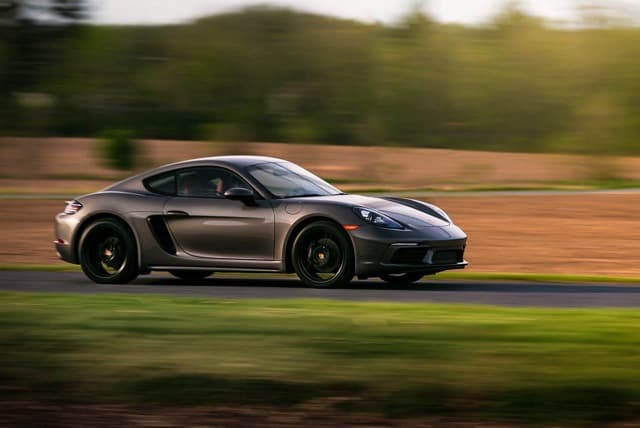
A gray sports car travels along a road, with blurred trees and grass in the background.

Closely packed buildings fill the view at dusk. Blue-green lights and warm windows stand out beneath an orange sky, while a mountain silhouette rises behind the skyline.
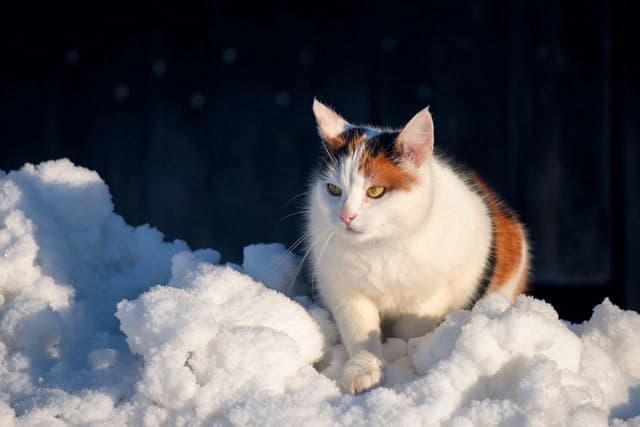
Cold paws, a little winter sunshine.
These examples were written to illustrate different styles. Choose the amount of detail and tone that fit where you will use the picture.
A useful description usually names the main subject first, then adds its action or position and a few details about the setting. You do not need to mention everything. If the picture does not clearly show a place, an emotion, or an event, leave it open rather than guessing.
Ask for the length you need in the custom question, for example: “Describe this picture in one sentence.” You can also trim the result to the subject and its most important detail.
Yes. Choose the output language before you generate. For language practice, try asking for simple vocabulary or short sentences in your custom question.
Try a clearer image or ask about the specific part you care about. Small text and distant objects can be hard to interpret, so compare the answer with the original picture. Members can also ask follow-up questions about the result.
Yes, you can use the tool without signing in, within the free usage limits. Paid plans offer more usage and member features.
You can copy or download the result, but give it a quick read first. Check the details and adjust the tone for your page, post, or assignment.
Working with a whole folder of pictures? Try batch descriptions →