The AI Art Replication Challenge: How to 1:1 'Copy' Any Image with a Prompt
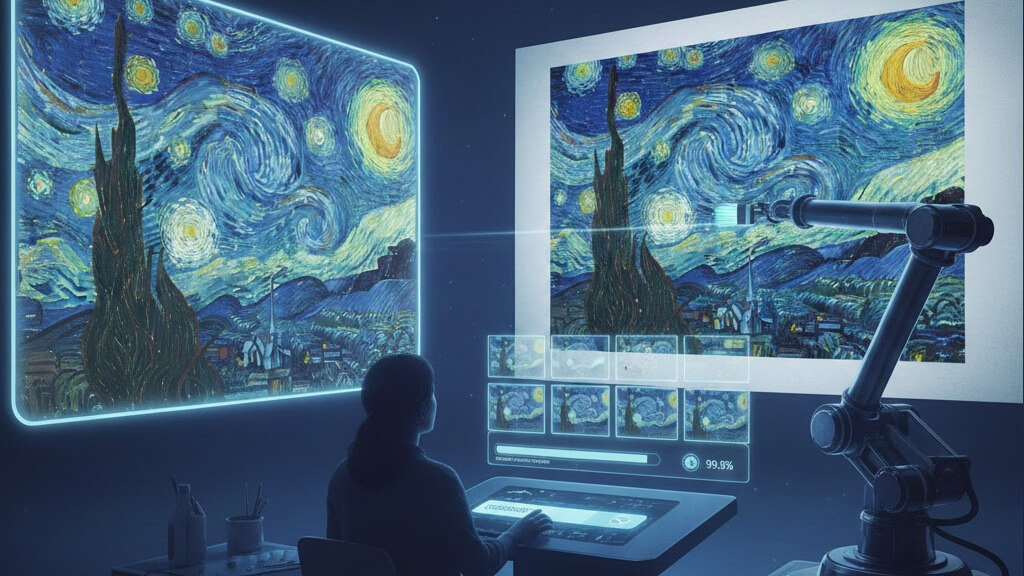
Have You Ever Thought About 'Pixel-Perfect' Replication of an Image?
In the world of AI art, we've learned how to create from scratch and how to blend styles. But an ultimate challenge faces many artists: Can I use a prompt to 1:1 'copy' or 'replicate' an existing image?
You might have seen a stunning piece of AI art online and wondered exactly how it was generated. Or perhaps you want to precisely recreate a classic movie scene or an award-winning photograph in your own work. This isn't just about imitation; it's a deep form of learning and homage.
However, due to the randomness inherent in AI art models, achieving a 100% pixel-perfect copy is nearly impossible. But with the right method, we can get infinitely close to this goal. DescribeImage.ai's "Image to Prompt" feature is your most powerful tool for this challenge.
Why is 1:1 Replication So Difficult?
Before we begin, we need to understand two core characteristics of AI art generation:
- Random Seed: Every AI art generation process starts with a random "seed," which is like a unique blank canvas. Even with the exact same prompt, different seeds will result in different details in the final image.
- Model's Interpretive Bias: An AI's understanding of a word can have subtle differences from a human's, and model iterations can also bring changes.
Therefore, our goal is not the unattainable "pixel-perfect copy," but "a high degree of visual consistency."
The Ultimate Three-Step Guide to Replicating an Image
Let's take a complex image as an example to learn how to restore it to the greatest extent possible.
Step 1: Choose the Most Detailed "Decoder"
Open DescribeImage.ai and upload the target image you want to replicate.
In the description options, do not use "Describe Briefly" or "Midjourney Prompt." To capture the maximum amount of detail, you need to select:
- "Describe in Detail"
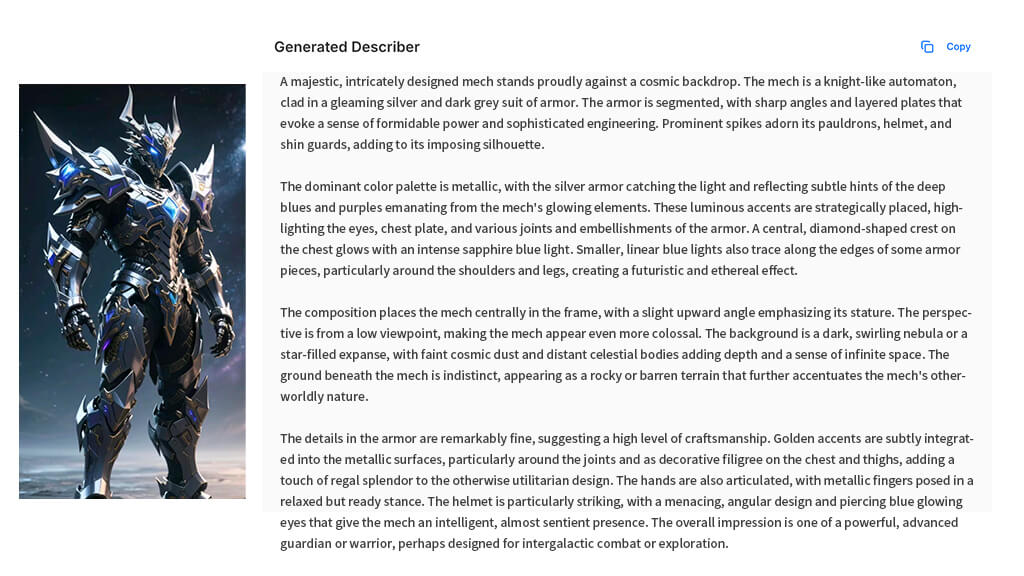
This option acts like a pixel-level observer, analyzing every element, light, shadow, color, and composition in the image. This is the foundation of our replication work.
Step 2: Refine Your "Core Prompt"
After clicking "Generate," you will get a very detailed description. This description is the raw material for our "core prompt," but it cannot be used directly and needs refinement.
Refinement Principles:
- Keep all specific nouns: characters, objects, scenes, clothing, accessories, etc.
- Keep all descriptive words: colors, materials, light (e.g.,
soft,Tyndall effect), composition (e.g.,symmetrical composition,wide-angle lens), emotional atmosphere (e.g.,serene,mysterious). - Convert to keyword phrases: Break down long sentences into comma-separated keyword phrases. This is the format that AI art tools prefer.
Example:
- AI-generated long sentence: "A white-haired wizard in a blue robe stands in an ancient library, holding a glowing crystal staff in his hand. The surrounding shelves are filled with ancient books, and light streams in from a high window, creating distinct beams."
- Refined Core Prompt:
a white-haired wizard in a blue robe, ancient library, holding a glowing crystal staff, shelves filled with old books, light rays from a high window, cinematic lighting, fantasy art
Step 3: Complete with "Style" and "Parameters"
A core prompt alone is not enough. We also need to tell the AI "in what style to draw" and "what the technical parameters are."
Style Modifiers: These are key to defining the art style. Based on the visual feel of the original image, you can add style words like:
photorealisticoil paintinganime key visualconcept arthyperdetailed
Artist Styles: If the original image has a clear artistic style (like Van Gogh or Hayao Miyazaki), you can directly add
in the style of [Artist Name].Parameters: This is the most easily overlooked but crucial step.
- Aspect Ratio (
--ar): Must match the aspect ratio of the original image! For example, a portrait phone screen image is--ar 9:16, while a widescreen cinematic feel is--ar 16:9. - Model Version: If you know which model version the original image was generated with (e.g., Midjourney V6), be sure to use the same version.
- Stylize (
--s): Controls the degree of the AI's creative freedom. To faithfully replicate, you can lower the stylize value.
- Aspect Ratio (
The final complete prompt structure:
[Core Prompt], [Style Modifiers], [Artist Styles], [--ar W:H] [--s N] ...
Practice is the Only Way to Truth
Now, input your carefully constructed complete prompt into your AI art tool. The first result may not be perfect, but it will be very close. Next, you need to fine-tune your prompt based on the generated result—add more details or adjust the weight of certain words—and then generate again.
This continuous process of "generate-compare-tweak" is the essence of the replication challenge and also where the most fun lies.
Conclusion: Learn by Replicating, Create by Learning
Although a 100% copy is the "holy grail" of AI art and difficult to achieve, the pursuit of it will greatly improve your understanding of prompts and your ability to deconstruct visual elements.
DescribeImage.ai provides you with the most precise "deconstruction tool." With it, you can not only "replicate" stunning works but also learn how to incorporate any visual element into your own original creations.
Now, find an image you want to challenge yourself with and start your "replication journey"!